
Events
You're required to bid your flights using the 'Bid Flight' button found on the Event page. You do not use the 'Flights' menu above. If you fail to follow this, you will not get the bonus for the Event –– and we will not fix that.
You have a 1-hour grace period after the event end time to have your PIREP submitted. If it's not submitted by the end of that grace period, you'll forfeit the double hours and points. Please make sure you note when the event ends (indicated on the event page) and add 1 hour to it to determine the submission deadline. No exceptions will be made.
The calendar defaults to UTC time. If you wish to see this in your local timezone, click the button labeled UTC –– or if you're mobile, click the button labeled U. Doing so will switch you to local time (denoted by LOCAL or L).
Click it again to return to UTC.
All of our Group Flights take place on PilotEdge, POSCON and VATSIM; however it's not required to use any of them or even be a Pilot with their services. It's just the preferred method so we can all see each other in a multiplayer setting and have air traffic control provided.
If you want to join a group flight but you don't want to fly on PilotEdge, POSCON or VATSIM, that's perfectly fine. You can participate by joining our Group Flight voice channel on Discord.
If you wish to learn more about PilotEdge, POSCON and/or VATSIM, visit:
Find an Event by clicking the Events icon in the Navigation Bar on the Crew Ops website.
Each Event is color-coded to help you identify the provider of ATC Network Services –– as illustrated below.
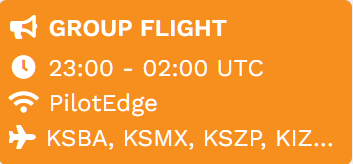
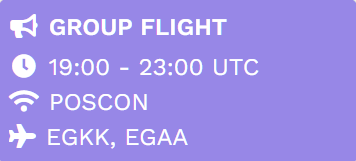
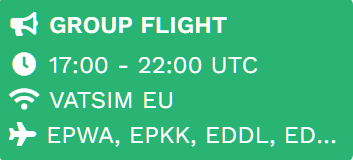
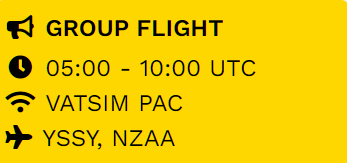
In the Calendar that appears, review the options for that month. Click on an Event that interests you within that day's square. This will take you to the Event's Details Page. Here, you can read more information about the Event.
All Pilots attending an event will receive double hours and points for participating.
You do not have to be at the airport location in order to participate.
Event flights do not change your location upon landing.
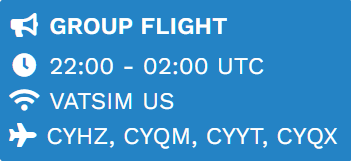
There are four (4) types of Group Flights at Walker Air Transport. This allows our Event Directors and Pilots to have options and flexibility –– in creating the Events and flying them. Find the type of event in which you're participating by reading the header above the list of airports. The types are explained below.
of these airports. You must fly out of one
of these airports. You must fly into or out of
one of these airports.
You must fly between
these airports.
Let's talk about times and how they relate to our Event System.
prior to the start time. All bidding closes 30 minutes
before the event end time. You have a
So, let's review step-by-step how a group flight works:
Make note of the start time and end time.
You only get a 1-hour grace period after the end time for your PIREP to be submited.
COMMENT:
OPTIONAL | NOT REQUIRED: Get on Discord and join the Group Flight voice channel. This is how we communicate with one another.
Continue your reading here on on Events and how to use the system.