
Charter
TheLeveraging a list of over 42,000 airports around the world using a specific fleet of company aircraft, the Charter system allows a pilot the opportunityPilot to buildcreate a flight schedule without the constraints of theirhaving ownto desires;adhere leveragingto a listformal ofroute. 42kThe airportsonly aroundlimitation? Selecting an aircraft with the world and a specific fleet assignedrange to ourcomplete charterthe company.flight.
Where do I find it?a Charter Flight?
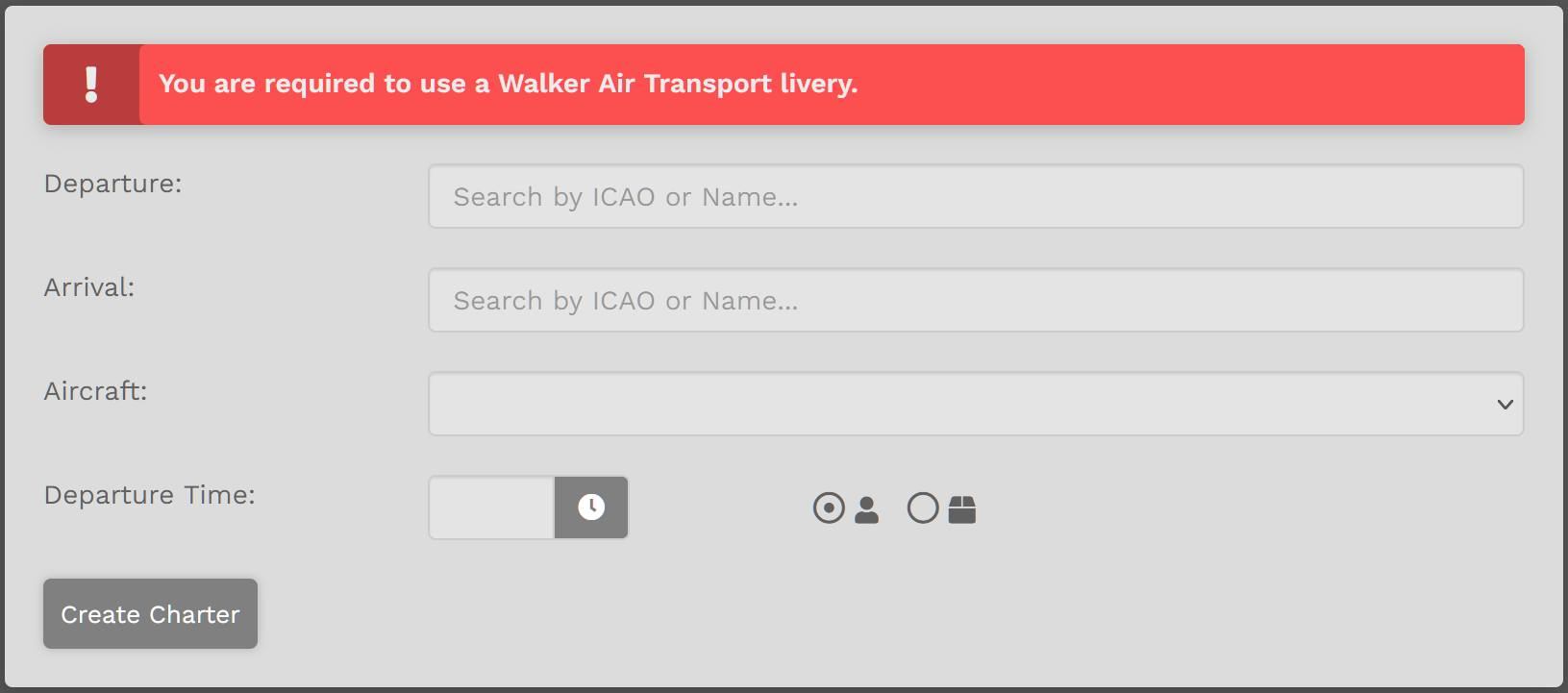
On the Charter pagePage you have 5five (5) fields you need to complete.
Departure –1. -Enterchoosethe Name or ICAO Code of any airport from which you wish todepartdepart.from.2.- Arrival –
-Enterchoosethe Name or ICAO Code of any airport to which you wish toarrivearrive.to.
Click on the "Create Charter"Charter buttonbutton. and you willYou'll be directed to yourFlights bids> My Bids where the newly newly-created flight appears.

Random Generator
The randomRandom generatorGenerator will allowallows you to input a few items and then generate a random flight. This is a great tool if you do notdon't know where you want to go or you just want to get creative.
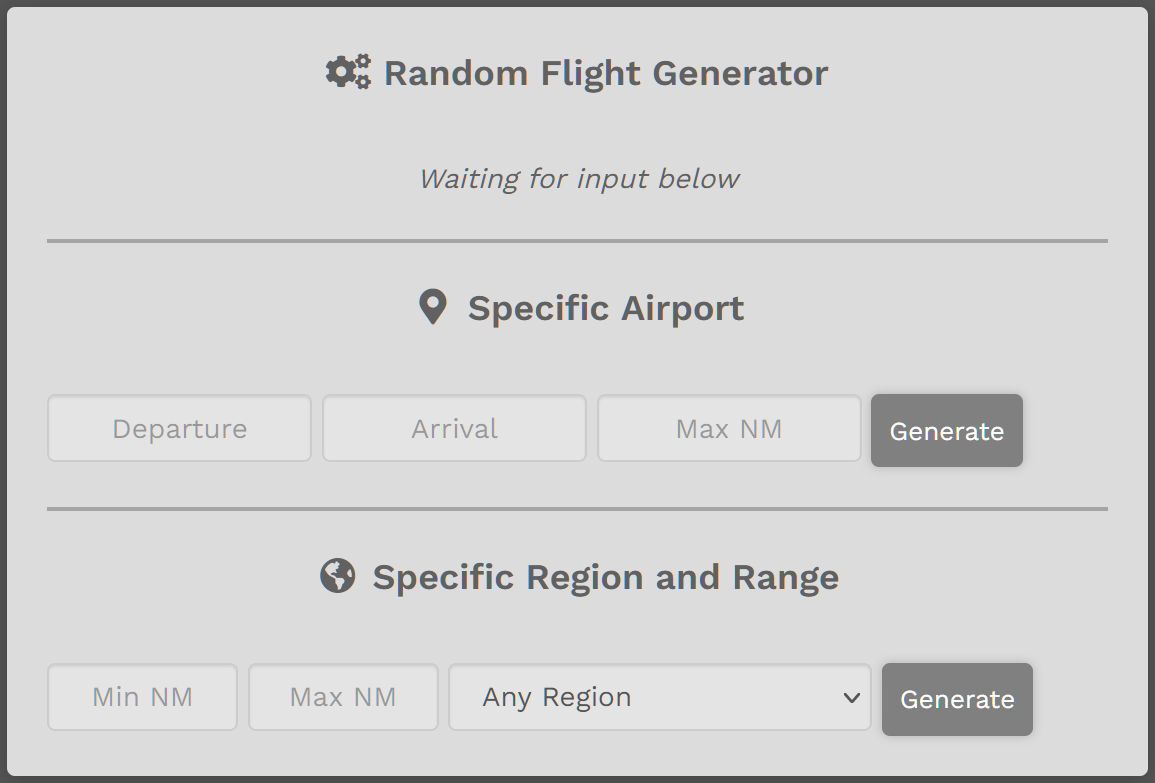
| Specific Airport |
Enter Departure Airport or Arrival Airport – not both. Enter Maximum Nautical Click EXAMPLE:
Acceptable? Click Transfer Not After clicking the Transfer Flight button, this box will appear.
To proceed, select Aircraft. Select Departure Time. Click the Create Charter button. |
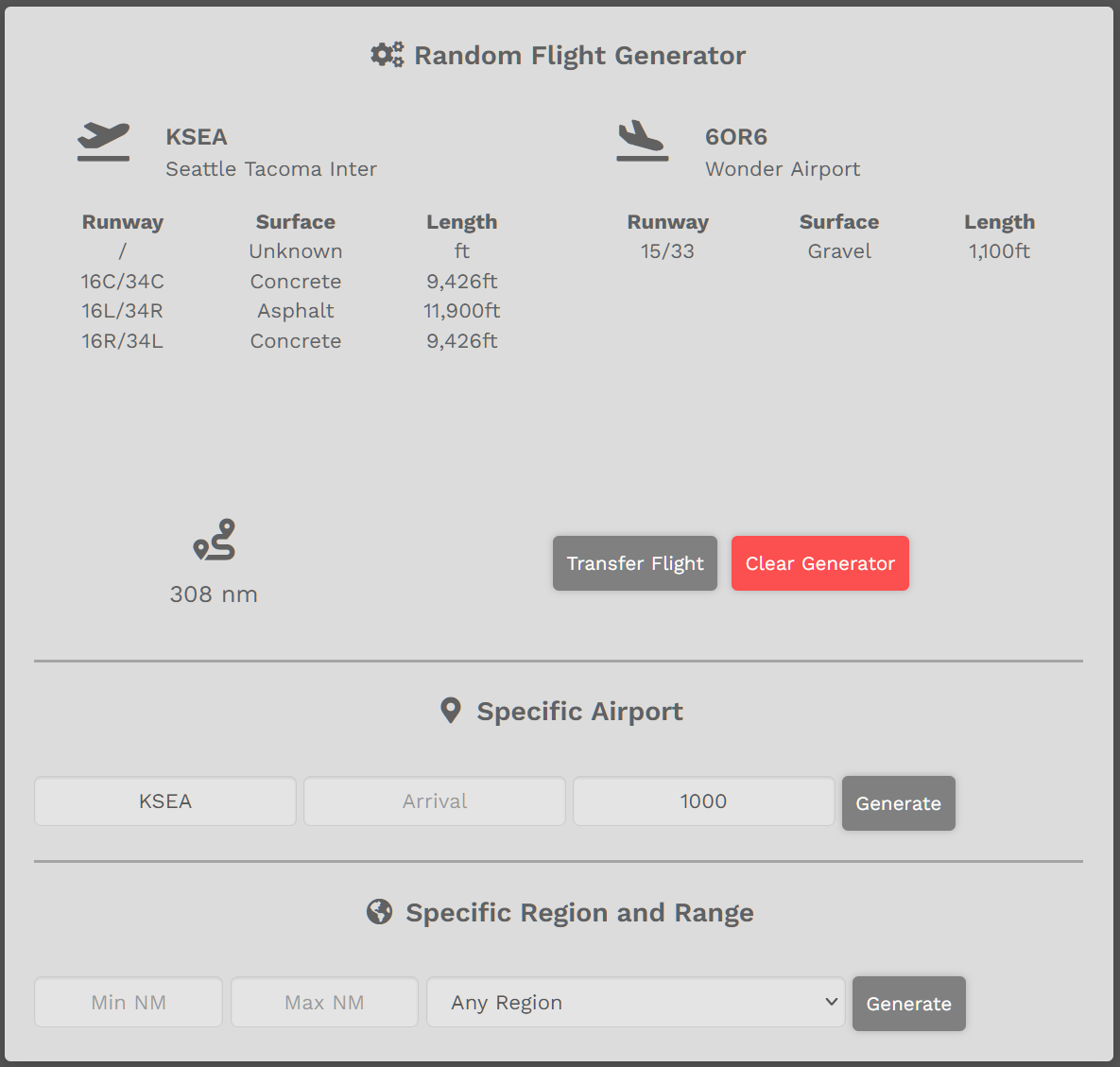
Enter desired Range or leave blank.
Select Region or leave as ‘Any Region’.
Click ‘Generate’ button. Random flight will appear.
EXAMPLE:
Max NM = 500
Region = North America
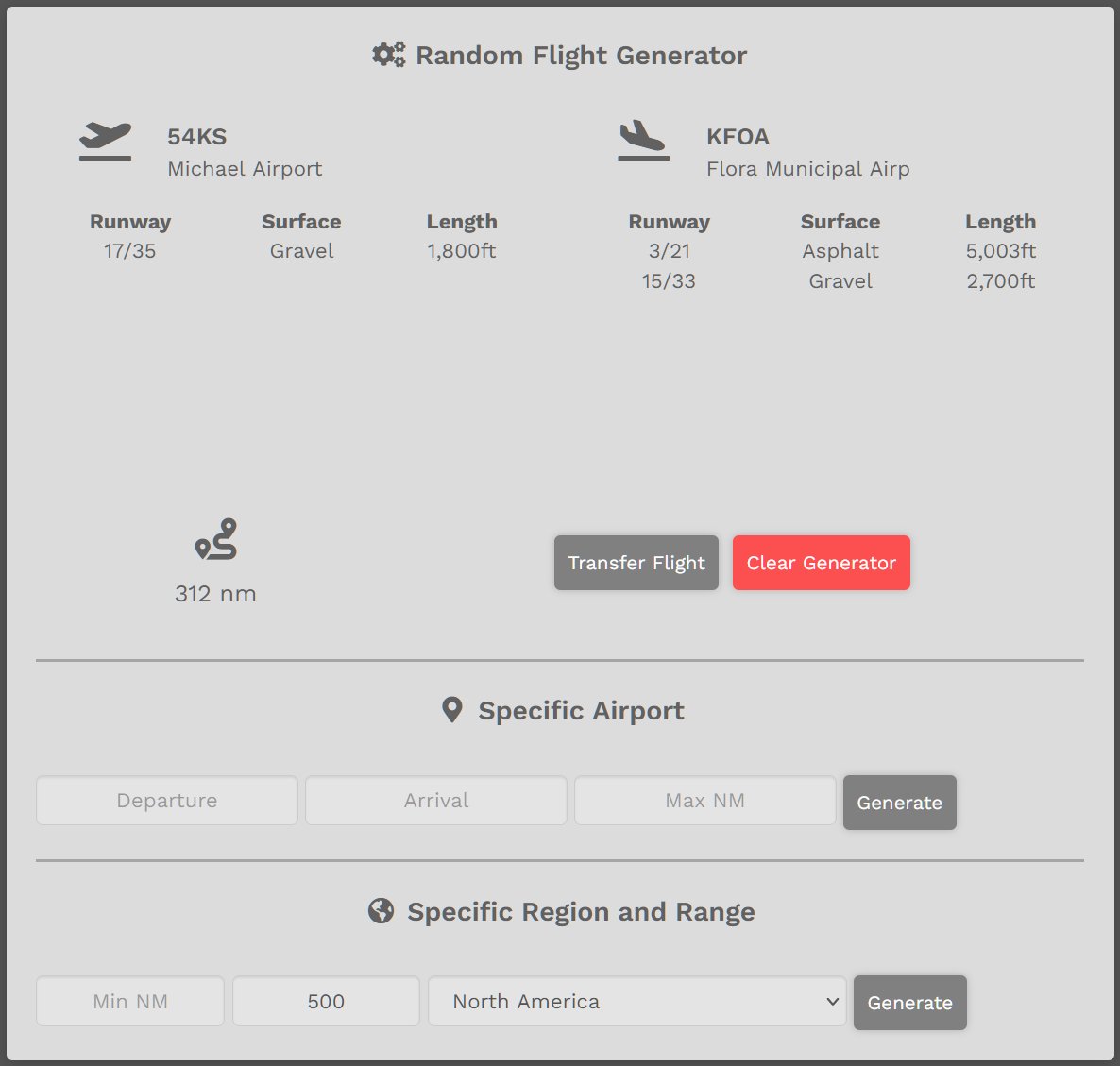
If acceptable, click ‘Transfer Flight’Flight button.
If not acceptable, click ‘Generate’the Generate button as many more times as needed until a desirable flight appears.
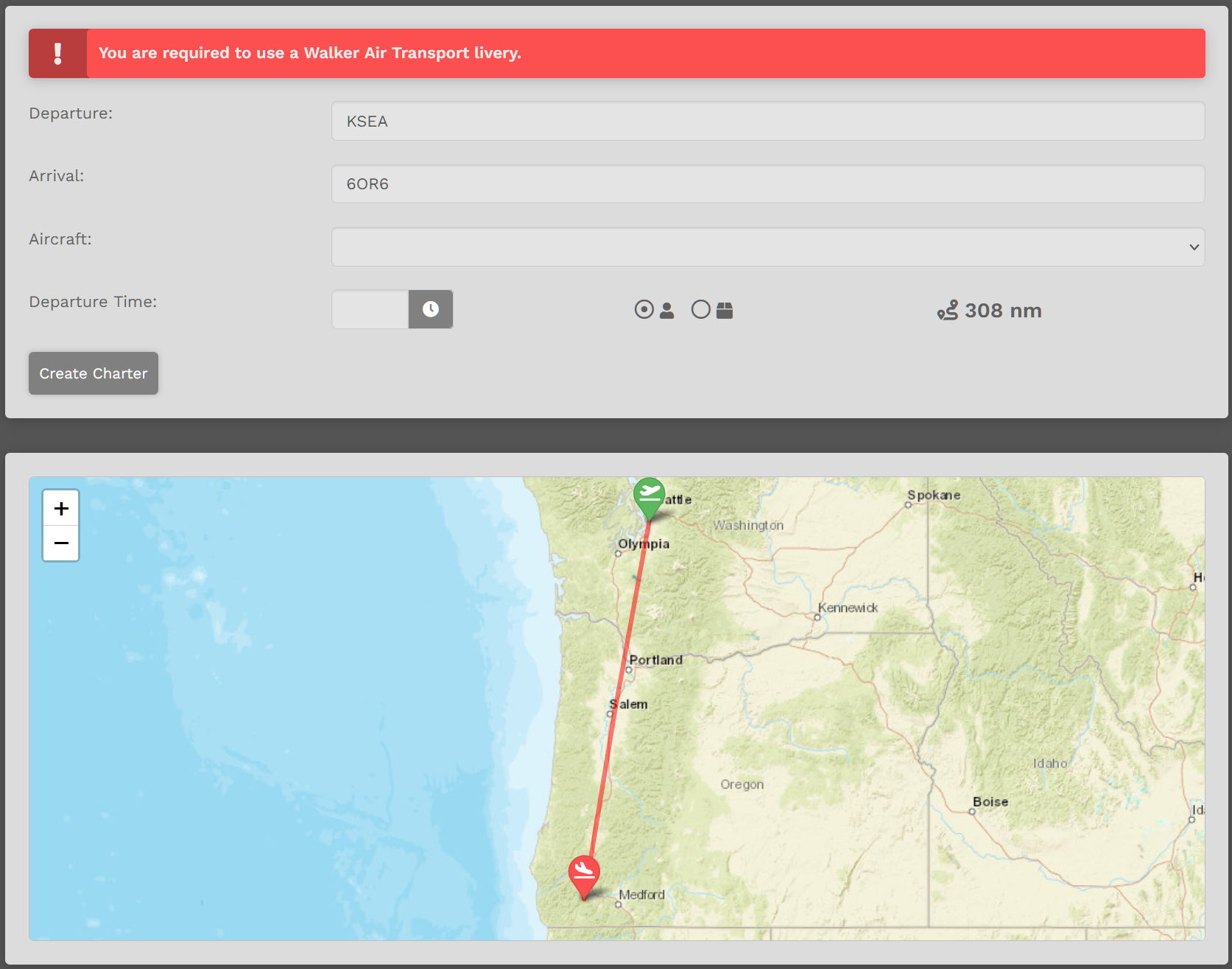
After clicking the Transfer Flight button, this box will appear.
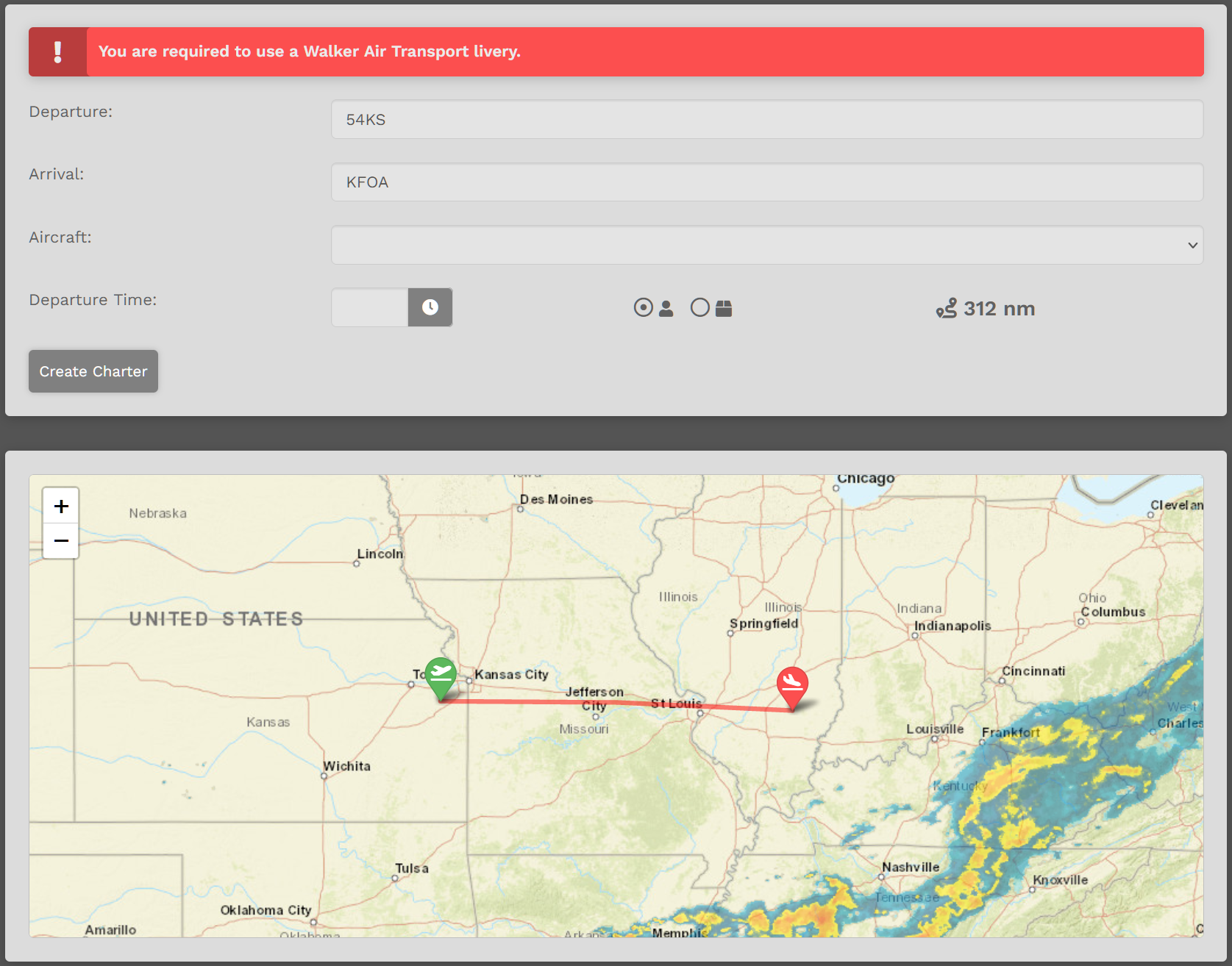
To proceed, select Aircraft.
Select Departure Time.
Click the Create Charter button.
To clear all entries, click the Clear Generator button – or – refresh the page or click the ‘Clear Generator’ button.page.