Assignments
An Assignment is a route generator where you will receive real-life airline routes, depending on the settings you have selected in the generator. The module also includes additional real-life simulation such as duty time limits. Completion of an assignment rewards pilots with a bonus one point per every flight hour flown.
The bonus points is only awarded at the end of the assignment, and not everytime you finish one leg.
This feature is currently available to Patreons only. You may learn more about the Patreon program here.
Generating your Assignment
To begin generating your assignment, head over to Flights -> Assignment, which will bring up the initial prompt where you can include your parameters for the assignment to be generated. Some of these are required, while some are optional.
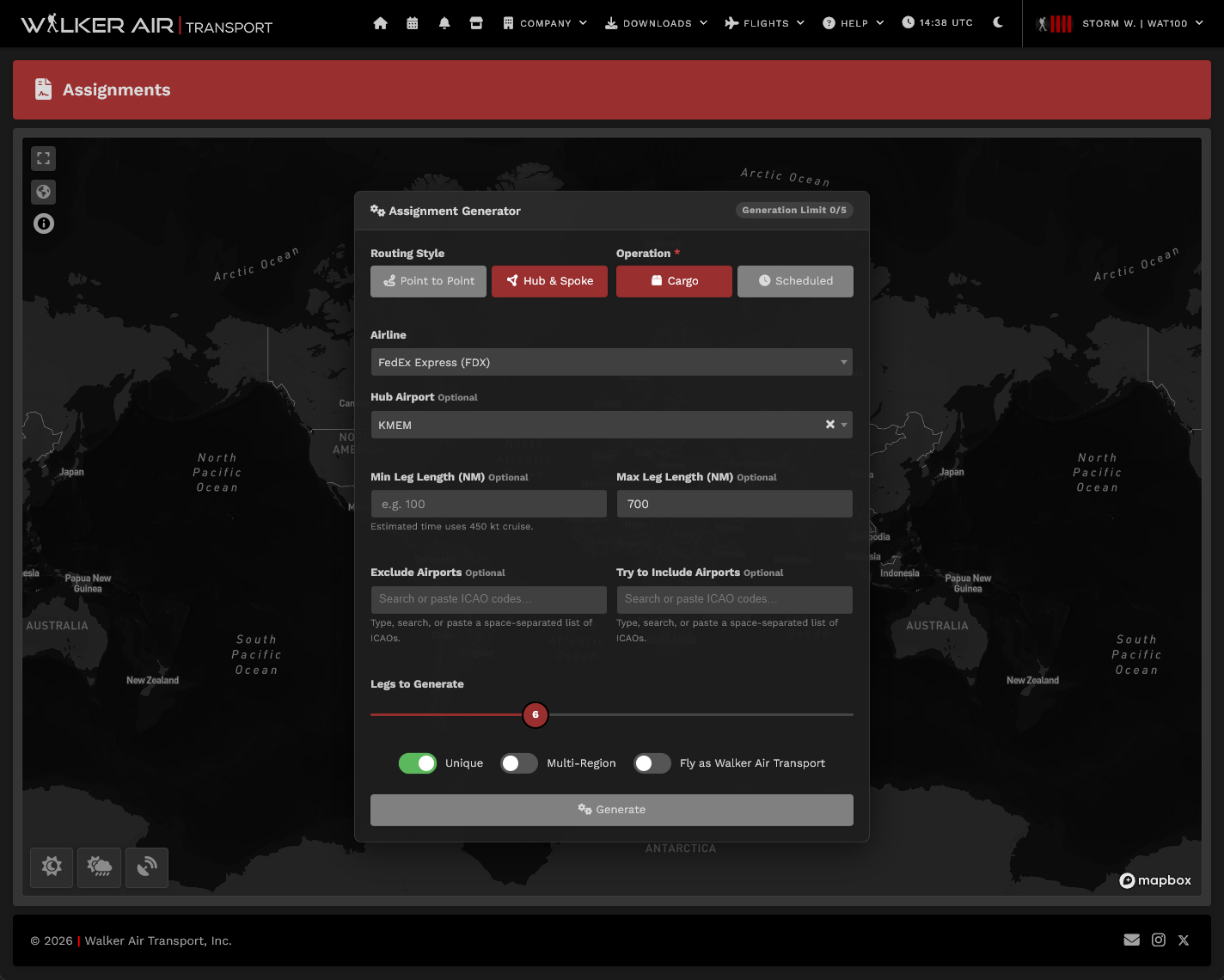
| Parameter | What it does | Required? |
|---|---|---|
| Routing Style |
Point to Point — continuous chain where each arrival is the next departure, not necessarily a hub. Hub & Spoke — strictly alternates hub→spoke→hub→spoke. Must be an even number of legs. |
Yes |
| Operation | Cargo or Scheduled | Yes |
| Airline | Limits routes to a single airline if selected. "Random" picks any airline in the database. | Yes |
| Legs | How many legs to build. In Hub & Spoke mode only even numbers are allowed. | Yes |
| Starting Airport or Hub Airport |
Starting Airport (Point to Point): forces the chain to begin at a specific ICAO; omit for a random start. Hub Airport (Hub & Spoke): this is the hub — every odd leg departs from here and every even leg returns here. If omitted, a suitable hub is chosen randomly from the airline's network. |
Optional |
| Final Airport |
Forces the last leg to land at a specific ICAO, as long as possible. Not available in Hub & Spoke mode (the chain always ends at the hub). |
Optional |
| Min / Max Leg Distance | Each leg must be within this range (nautical miles), unless no suitable options are found. | Optional |
|
Unique (toggle) |
Point to Point: no airport may be visited more than once. Hub & Spoke: no spoke airport may be repeated. |
Optional |
| Multi-Region (toggle) |
When on, at least one arrival must be in a different world region than the origin. Point to Point: checks against the starting airport's region. Hub & Spoke: at least one spoke must land in a different region than the hub. |
Optional |
| Exclude Airports | Airport ICAO's inserted here will never show up in the generated result. | Optional |
| Try to Include Airports | The generator tries to route through these ICAOs. | Optional |
|
Codeshare (toggle) |
Routes are generated under the chosen airline's network, but the assignment is stored under Walker Air Transport (WAT). The pilot flies WAT-branded legs on the generated route. | Optional |
You are only allowed to generate 5 assignments within a 24-hour period, afterwards you will be locked out of the system until 24 hours passes from your first attempt. You can see current attempts on the upper right side of the Parameters input popup.
While we strive to maintain an updated and accurate route database, there will be a few instances of incorrect or old routes generating into your assignment, or newly-launched routes not appearing in the system. The Walker team will continue to push to minimize the instances of these.
Flying your Generated Assignment
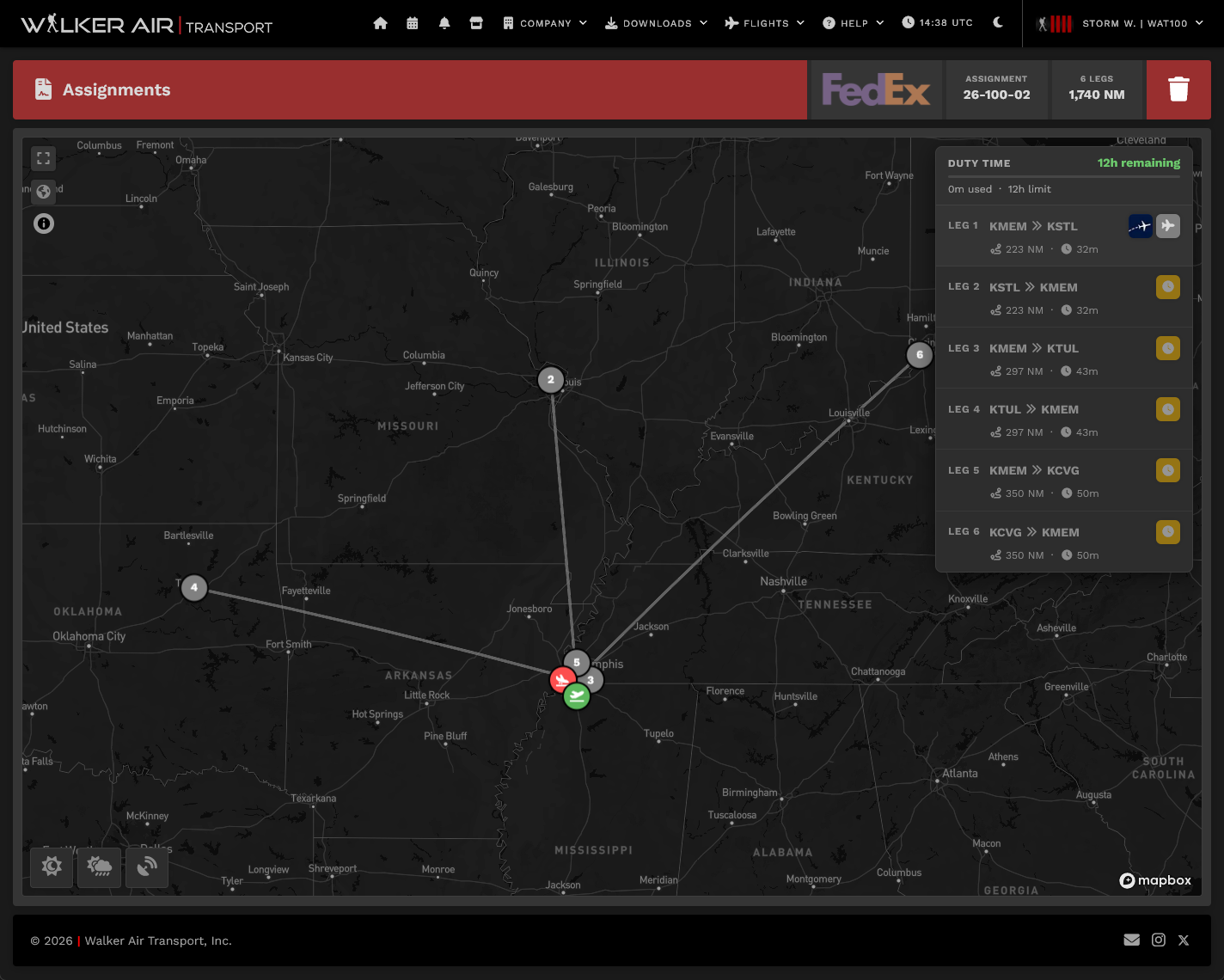
Once you have generated your schedule, the map interface will show up. From here, you can review the generated assignment, choose to discard the assignment by clicking the  on the upper right, or bid the next flight by clicking the
  beside the currently active leg.
If you wish to look for real life flights flying the same route, clicking the  button will bring you to FlightAware's Flight Finder for your currently active leg.
From here on, bidding will send you to the OFP page as is the case for our other modules.
You may freely cancel and regenerate another assignment, provided that you have not hit the generation limit AND have not flown the first leg. Cancellations after the first leg will lock the Assignments module for 6 hours for every incomplete leg. (i.e. a 10 leg assignment cancelled after completing leg 3 will lock you out for 42 hours (7 incomplete legs x 6 hours)
Time Compression
We understand that pilots may not have the time to fly long haul flights at 1x simulation, but would like to log these flights. As such, we allow the use of Time Compression in the Assignment system similar to the Tours system, where the pilot will be locked out of bidding the next leg until the time it would have taken to fly the previous leg at 1x simulation rate.
When you are not cleared to fly, you will see this tooltip and the clearance time (in UTC) will be presented to you. You may fly on other Walker modules (Scheduled/Cargo/Charter/Tours) while you are on cooldown in the Assignments module.
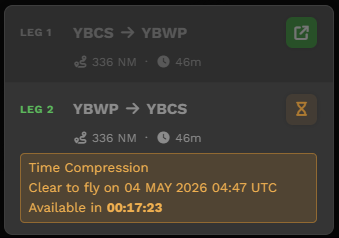
You will still be deducted points for time compression per our policy on top of the lockout. You may refer to the point chart here: Rank & Points
Duty Hours
Unique to the Assignments module is the simulation of Duty Hours, where pilots are only allowed to fly a maximum of 12 hours in a 24 hour period. Your current "duty day" is shown on the top of the assignments page, and you will only be allowed to bid a flight if the calculated length of the flight is below your remaining duty hours available.
An exception to this is long hauls (flights exceeding 12 hours as calculated), which will allow you to bid as long as you have your whole 12 hour duty time allowance untouched. For these flights, only 12 hours will also be tagged as used in your duty time, to reflect crew rest while airborne.
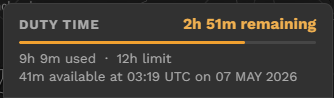
Note that the duty hours are only incurred, and only blocks bids within the Assignments module. This does not affect other modules within Walker.
Calculated flight lengths are based off birds eye distance and the average speed of the fleet in Walker. This may not be reflective of wind conditions, traffic, routing requirements, etc.
Flown duty hours count all flights flown under the Assignments module in the past 24 hours, regardless if it was under an earlier, since completed assignment.
Completed Assignments
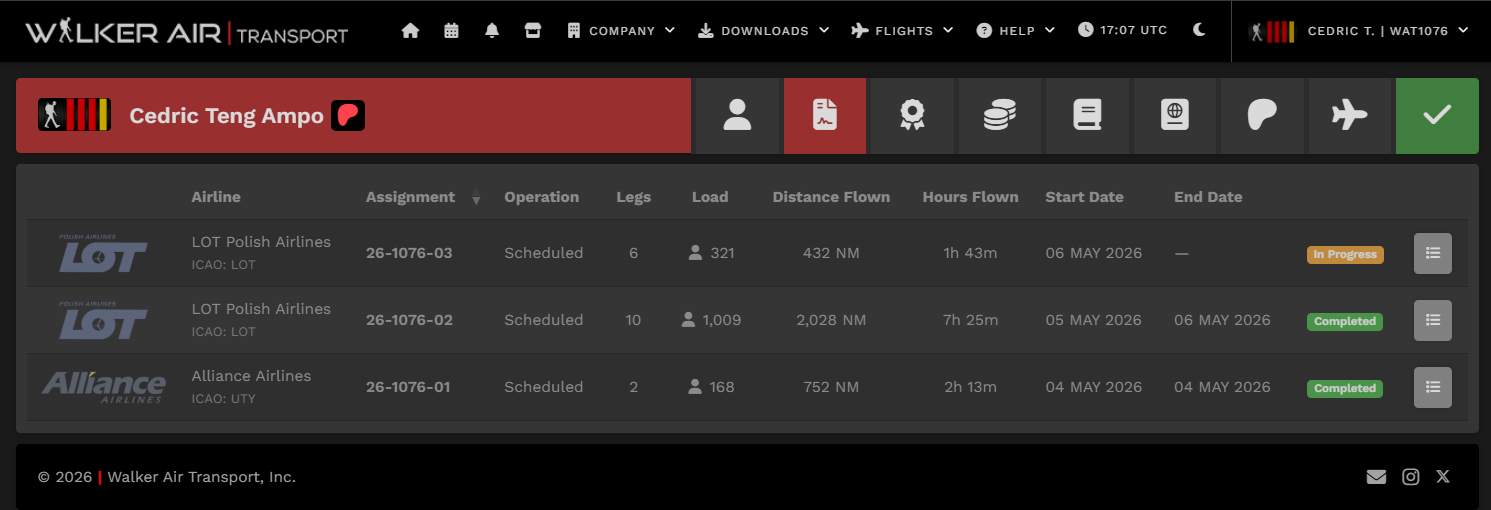
Both completed and in-progress assignments may be viewed in your profile. The hours flown shown here for completed assignments are the basis for your bonus points - rounded up to the nearest hour.