Pilot Profile – Settings > Worldwide Persistence
What
is it?
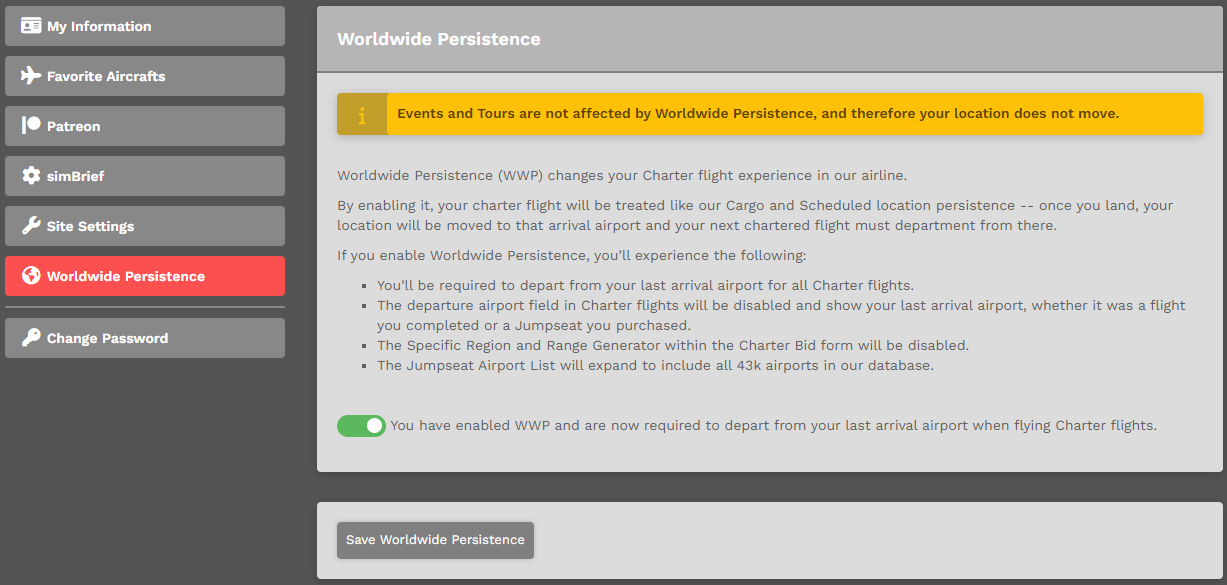
Worldwide Persistence (WWP) changes your Charter flight experience in our airline.
TheBy explanationenabling withinit, your charter flight will be treated like our Cargo and Scheduled location persistence. Once you land, your location will be moved to that arrival airport and your next chartered flight must department from there.
Events and Tours are not affected by Worldwide Persistence, and therefore your location does not move.
If you enable Worldwide Persistence, you’ll experience the imagefollowing:
- You’ll
explainsbe required to depart from your last arrival airport for all Charter flights.
Enable / Disable Option – Within Pilot Settings
You can enable Worldwide Persistence. by clicking your name in the top right > Settings > Worldwide Persistence.
To Enable this option, click the small check boxtoggle at the bottom of the image. Click the Save Settings button at the bottom of the page to save it.
To Disable this option, click the small check boxtoggle at the bottom of the image. Click the Save Settings button at the bottom of the page to save it.
| With Worldwide Persistence... | ... |
| On | Enabled | Your location will |
| Off | Disabled |
If you do not click the Save Settings button, the option you selected – Enable or Disable – will not appear.
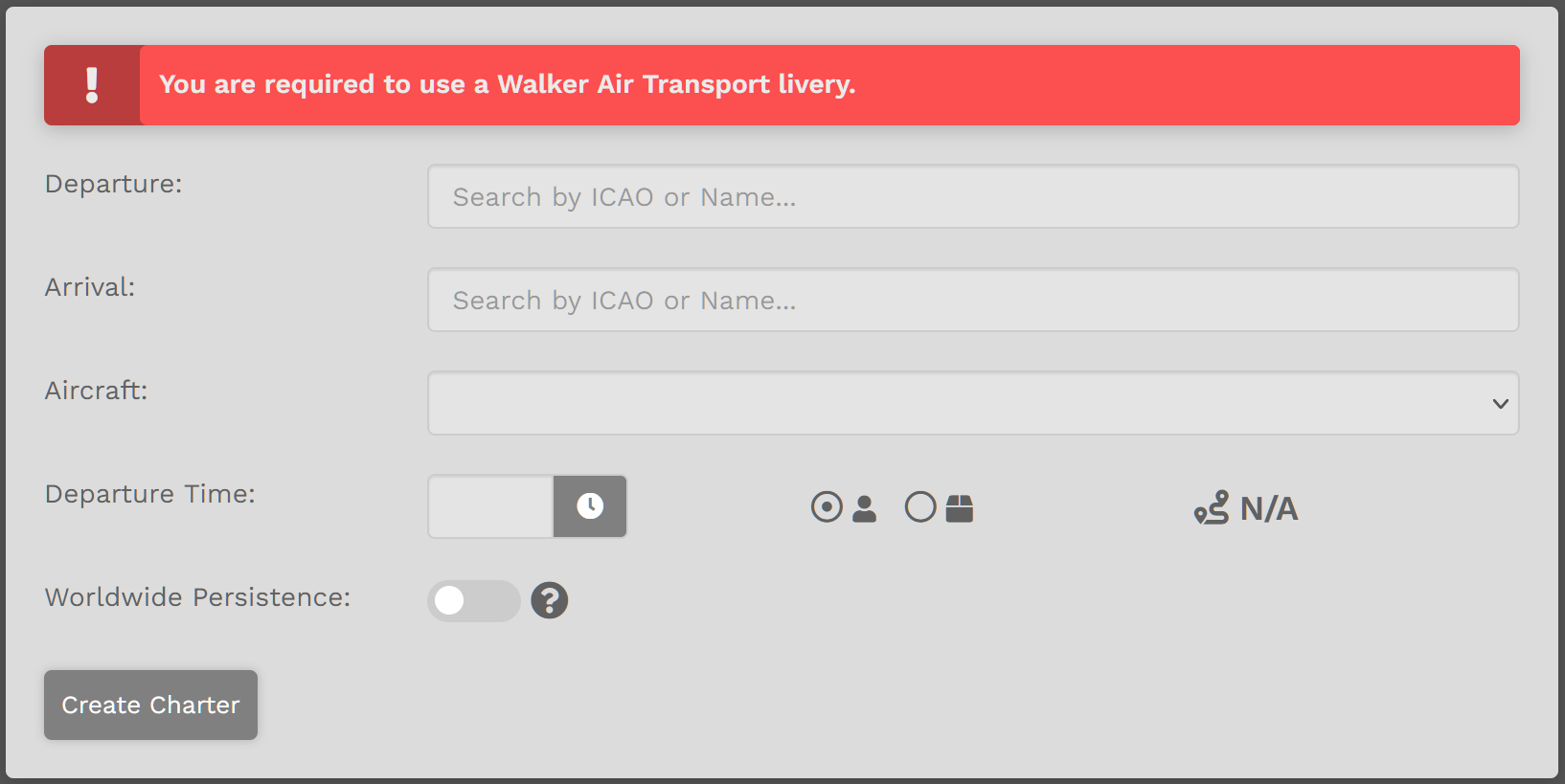
Enable / Disable Option – Within Charter Flight Bid
You may also Enable or Disable Worldwide Persistence when creating a Bid for a Charter Flight by clicking the button beside Worldwide Persistence – as shown in the image below.Reference: https://crew.walkerair.us/charter