
Flying Your First Flight
We've covered all of the supportive areas. Now, it's time to bid your first flight and actually fly it.
Log In To The Crew Ops Website
|
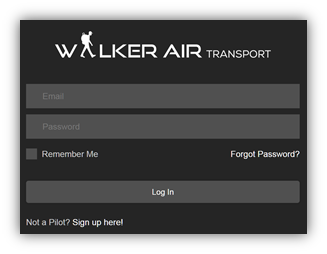
Go to https://walkerair.us/. Click Crew Login in the Navigation Bar. After doing so, the login box will appear. |
|
|
Enter your Email address and Password in the spaces provided.
If you wish to have the website remember you, click the box beside Remember Me. Click the Log In button. |
|

Determine Your Flight Profile
Once logged in to the Crew Ops website, you need to determine what kind of a flight you want to make.
| Cargo |
LINK: https://docs.walkerair.us/books/help/page/cargo Charter
To plan and fly a Charter Flight, click the link below and follow the instructions.
LINK: https://docs.walkerair.us/books/help/page/charter Scheduled
To plan and fly a Scheduled Flight, click the link below and follow the instructions.
LINK: https://docs.walkerair.us/books/help/page/scheduled Tour To plan and fly a Tour Flight, click the link below and follow the instructions.
LINK: https://docs.walkerair.us/books/help/page/scheduled
Determine Your Flight Route
While it's not required, most of our Pilots find it valuable and enjoyable to formally plan their Flight Route.
simBrief is a very popular flight planning tool. SkyVector is another popular alternative. There are, however, others.others
– and they can be found using an Internet search.
| To plan your flight using simBrief, click the link and follow the instructions. LINK: https://docs.walkerair.us/books/help/page/simbrief |
LINK: https://skyvector.com/
Start Your Flight Simulator – Pre-Flight
Start your Flight Simulator. Load the aircraft you intend to fly.
LookVerify toyour makeaircraft sureis it'wearing' has a Walker Air Transport livery before you start ACARS.
If you fail to use a Walker Air Transport livery and operate your flight using our ACARS-based Flight Data System,System, your flight will be rejected and you risk being terminated.
Start ACARS
Open ACARSACARS.
makeMake this a habit. If you fail to start ACARS and complete your flight, none of your flight data can be transferred to our Flight Data System. That means you will not receive credit for the flight.
To start ACARS, click the link below and follow the instructions specific to your computer's Operating System and supported Flight Simulator.
LINK: https://docs.walkerair.us/books/help/chapter/acars
Online Air Traffic Control
If you're using live Air Traffic Control for your flight – IVAO, PilotEdge or VATSIM – log in to their system and follow their instructions and/or prompts.
Fly Your Flight
Once you've reached this point, your aircraft is on the ramp at your departure airport – your Pre-Flight is underway. Once you complete your checks, you're ready to fly. Enjoy!