Flights – My Bids
Flights upon which you’ve created a bid will be listed here.
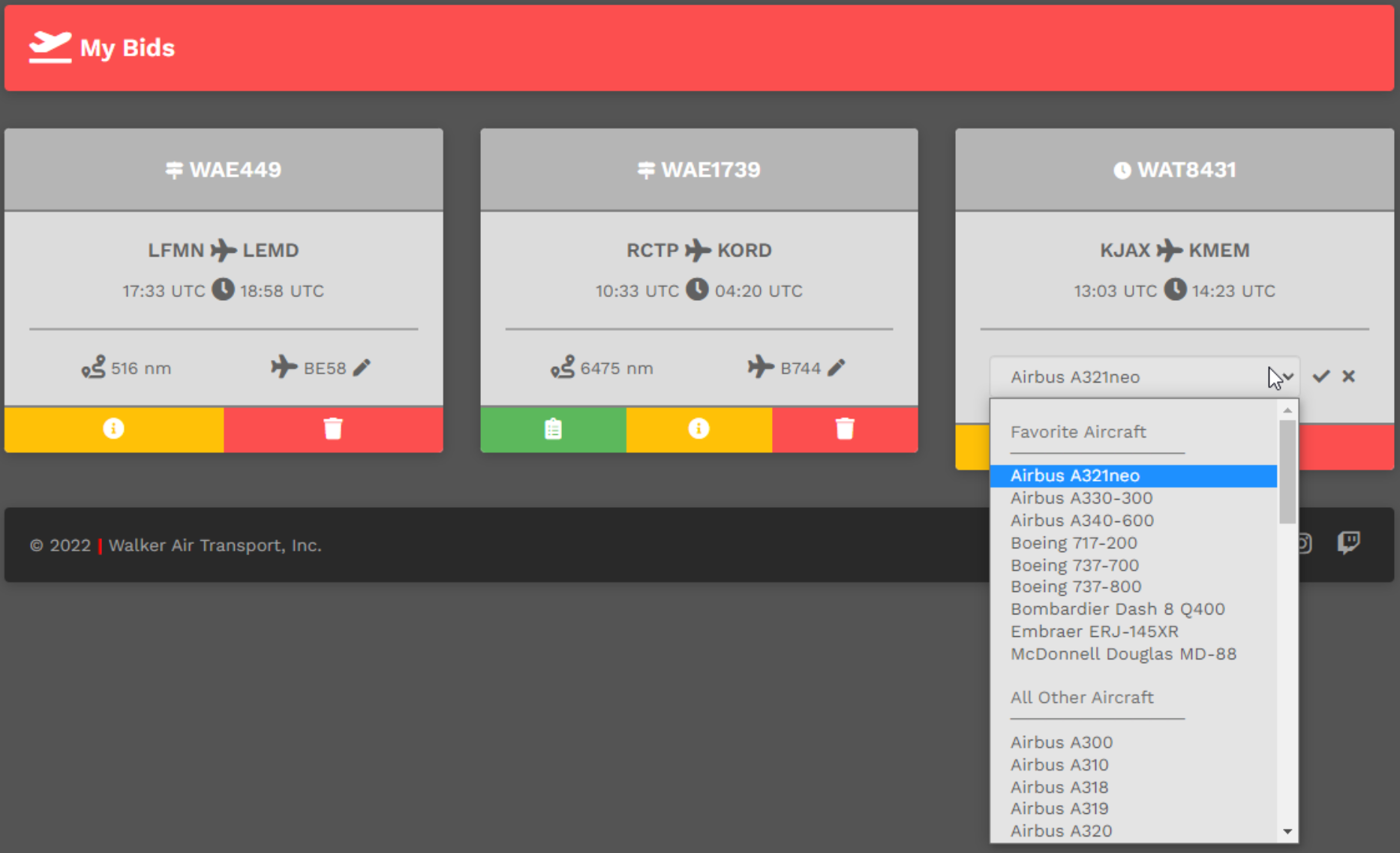
Change Aircraft
You may change the aircraft you originally selected.
Click the Pencil icon. From the drop down menu, select a replacement aircraft. Once its name appears in the text box, click the Check Mark icon to confirm your selection. To cancel the aircraft change – and return it to the aircraft in your original Bid – click the X icon.
Cancel Bid
To cancel a Bid, click the red Trash Can icon in the red box.
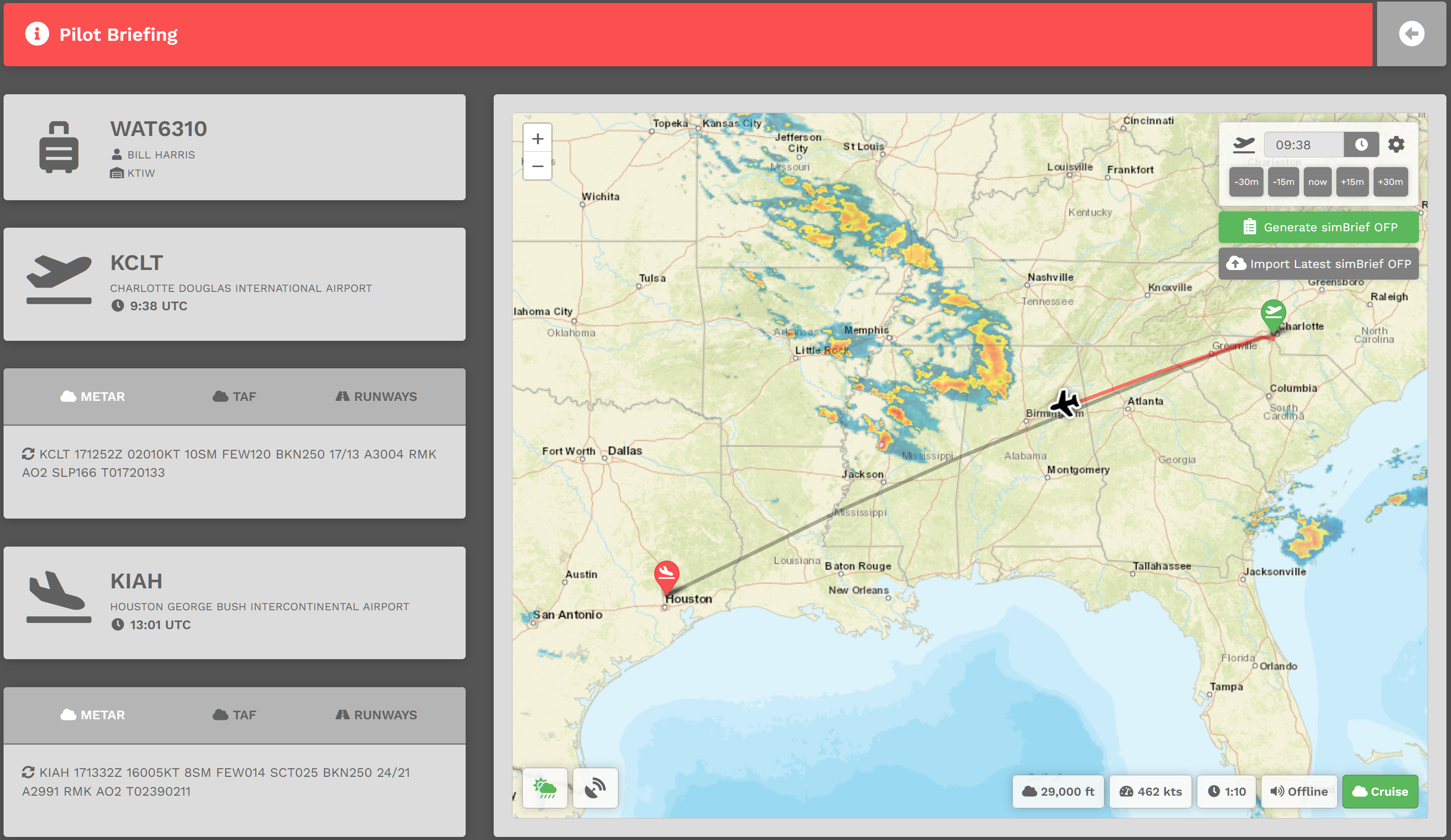
Pilot Briefing
To view a Bid's Pilot Briefing, click the Circled i icon button in the yellow box.
After doing so, the screen below will open providing some valuable information about your planned flight.