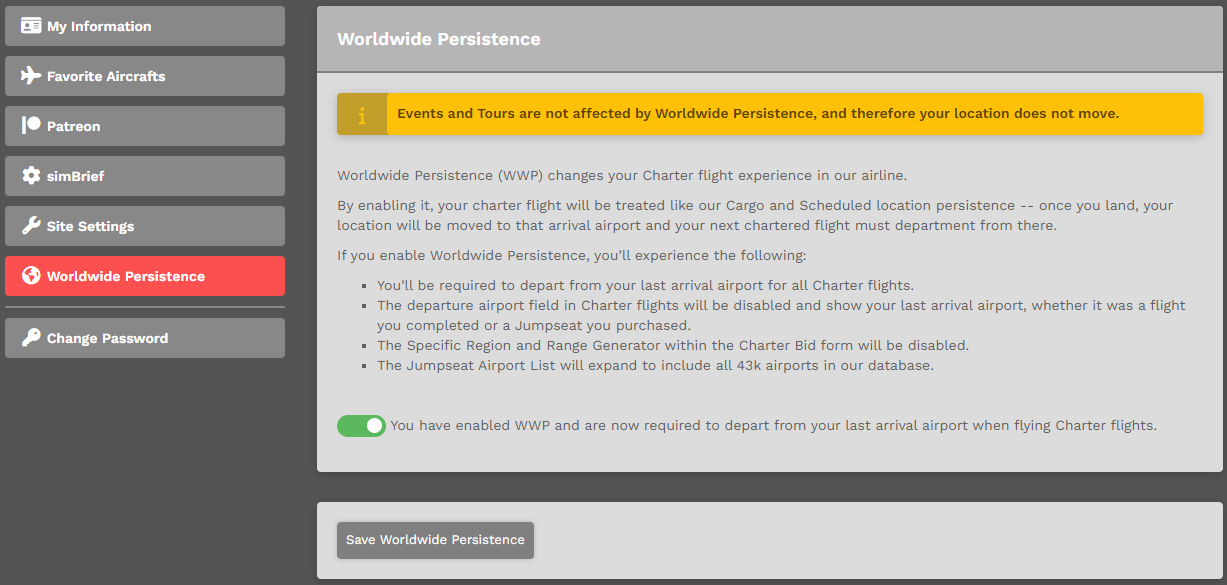
Worldwide Persistence
What is it?Worldwide Persistence?
Worldwide Persistence (WWP) changesis a location tracking system used across Walker Air Transport.
When WWP is enabled for a flight type, your Charternext flight experiencemust indepart ourfrom airline.the airport where you last arrived.
By enabling it, your charter flight will be treated like our Cargo and Scheduled flights always use Worldwide Persistence. Your location persistence.updates Onceautomatically youwhen land,those flights are completed.
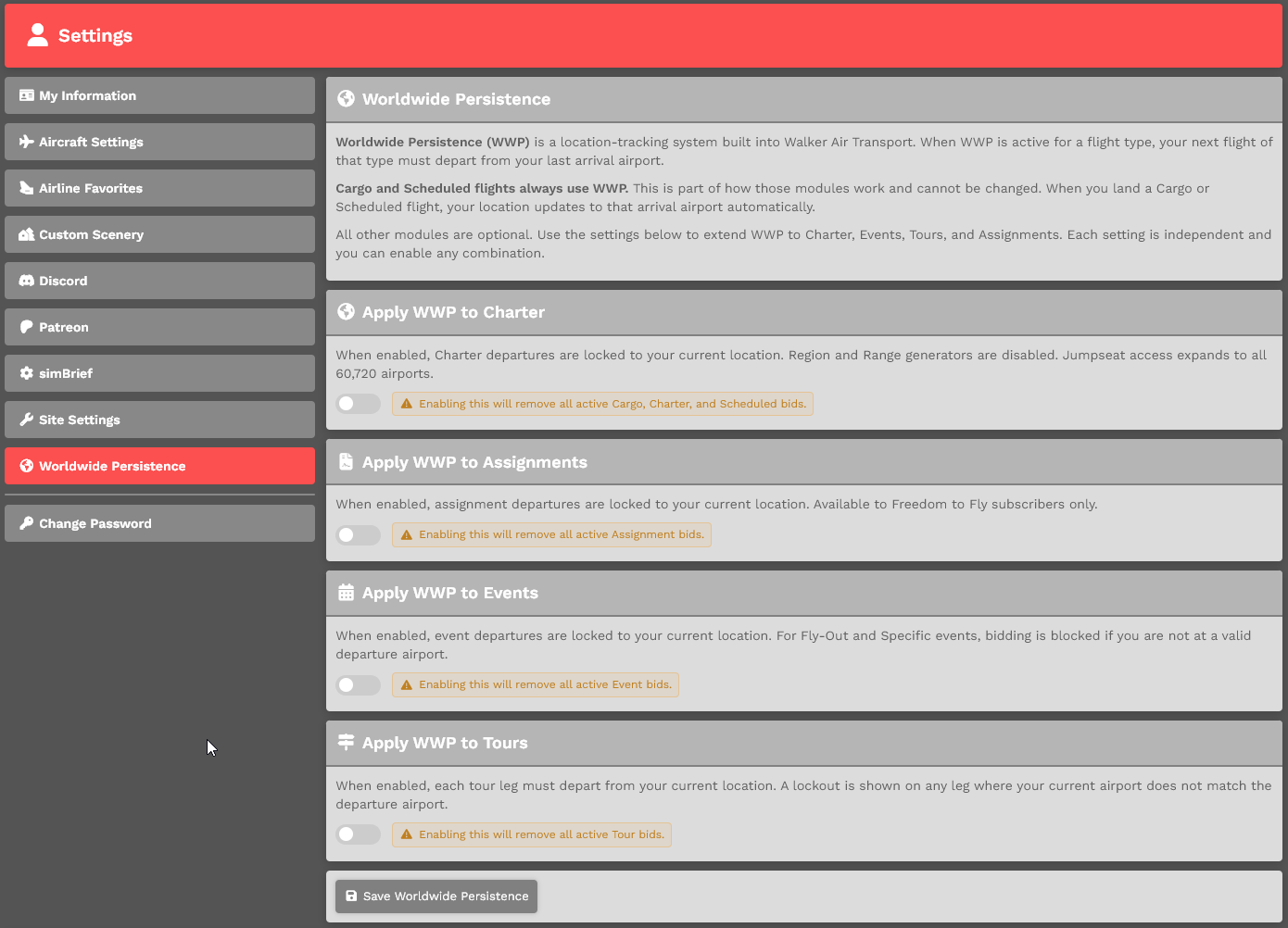
Charter, Assignments, Events, and Tours can optionally use Worldwide Persistence. You can enable or disable it for each module in your locationsettings.
How movedit toworks
When arrivalWorldwide airportPersistence andis yourenabled for a flight type:
Events and Tours are not affected by Worldwide Persistence, and therefore your location does not move.
If you enable Worldwide Persistence, you’ll experience the following:
You’ll be required todepart from your last arrivalairportairport.
Charter flights
Assignments
Events
Tours
Configuration
Each module can be enabled or disabled independently in your settings.
Enable /or Disable OptionWorldwide Persistence – Within Pilot Settings
You can enablemanage Worldwide Persistence by clickingin your namepilot insettings:
Profile > Settings > Worldwide Persistence.Persistence
ToUse Enablethe thistoggle option,to enable or disable Worldwide Persistence, then click the toggle at the bottom of the image. Click the Save Settings button at the bottom of the page to saveapply it.your changes.
To Disable this option, click the toggle at the bottom of the image. Click the Save Settings button at the bottom of the page to save it.
If you do not click the Save SettingsSettings, button,your the option you selected – Enable or Disable –changes will not be applied.
notWhat happens when enabled appear.
Enable / Disable Option – Within Charter Flight Bid
You may also Enable or Disable Worldwide Persistence whenis creating a Bidenabled for a module:
When disabled:
Module control
Worldwide Persistence can be enabled or disabled for each module individually:
Each module follows its own setting.
Important
If clickingyou have an active flight, assignment, event, or tour that is using Worldwide Persistence, you may not be able to disable it.
In this case:
|
Worldwide |
When you enable Worldwide Persistence or its modules:
Disabling Worldwide Persistence
When you completedisable aWorldwide charterPersistence flight,or andone youof its modules:
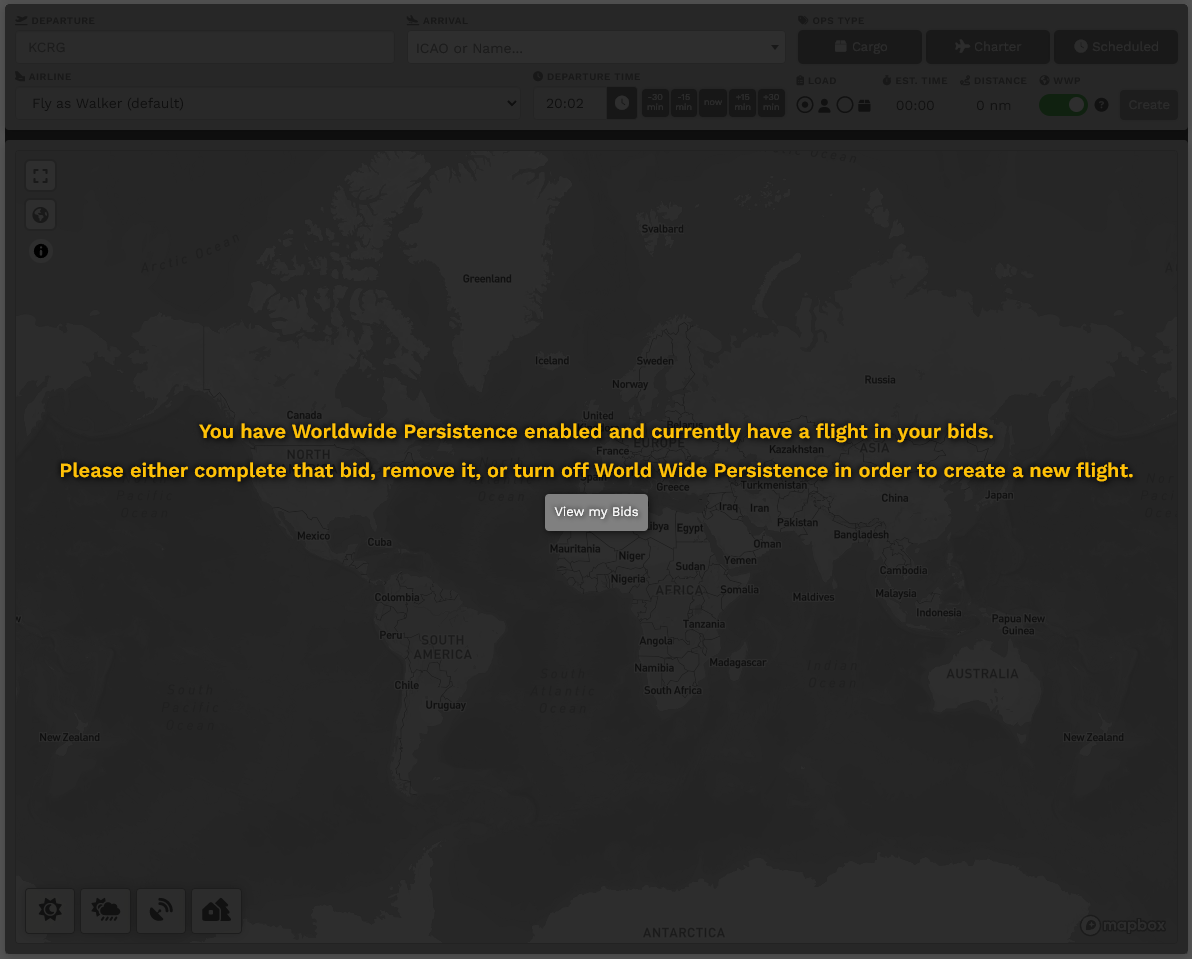
Charter Bid Lockout
When WWPWorldwide Persistence (WWP) is enabled andenabled, you can only have one active WWP flight at a bidtime inacross Cargoall orenabled Scheduledmodules.
If Eventsyou andalready Tours),have an active WWP flight, you will be unable to createstart aanother charterflight flight.in Youany module that also has WWP enabled.
To continue, you must either:
This restriction applies based on your enabled modules. For example, if WWP is enabled for both Charter and Assignments, an active Charter flight will needprevent toyou eitherfrom removestarting thosean bidsAssignment, and/orand finishvice them. You can only have one Worldwide Persistence-enabled bid at a time in Cargo, Charter, or Scheduled.versa.