Pilot Profile – Settings > Site Settings
Calendar
You can choose which day to start your week in our event calendar.

Holiday Decorations
This allows you to either turn on or off our holiday decorations throughout the year.

Map
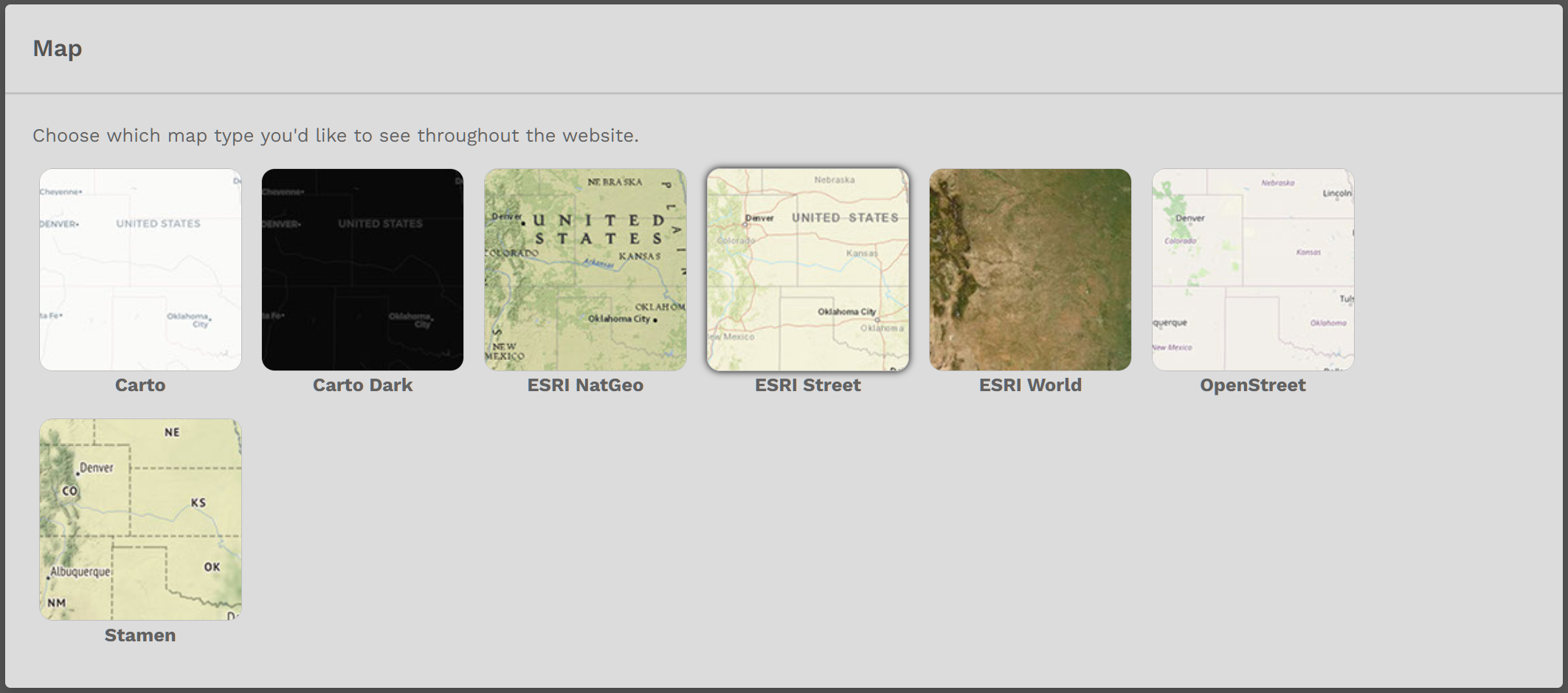
In this section, you can change the appearance of the Map on the Home Page and Enable or Disable Worldwide Persistence.
Click on the Map Type you desire. In our example below, the ESRI Street option has been selected, as you can see from the light grey border.
To activate this option, click the Save Settings button at the bottom of the page.
If you do not click the Save Settings button, your Map Type you selected will not appear.
To change your Map Type, return to this section and click on the new Map Type you desire. Afterwards, click the Save Settings button.