
Pilot Profile - Settings > Calendar & Notifications
Within this section, you can toggle on – or – toggle off ATC Network Events in a way that best suits you.
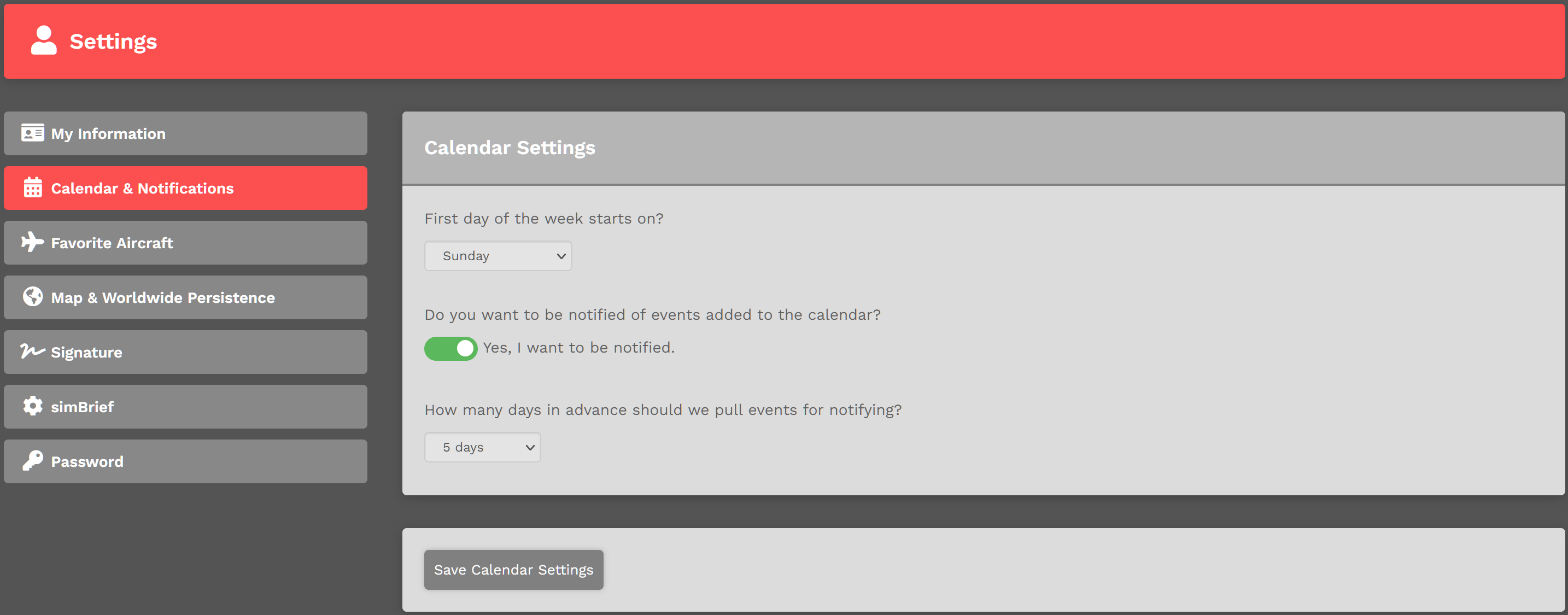
Select the first day of your desired week – Sunday through Saturday – from those offered in the drop down menu.
Toggle the switch to indicate your notification preference. There are two (2) options available:


Select the number of days from those offered in the drop down menu indicating how many of them in advance an Event – 5 Days to 1 Day – will be displayed.
Review your selections and make whatever adjustments you desire to make. Once satisfied with what you've done, click the Save Calendar Settings button.
NOTE: If you don't click the Save Calendar Settings button, your settings will not be saved.
To change this setting, simply return to this Settings page and toggle off the Notification Setting. After doing so, you'll see this: