
Pilot Profile – Logbook
This is a quick link (shortcut) to access your Logbook.
Click Logbook. A moment later, it will appear on your screen – as illustrated below.
Event flights awarded double hours and points are not reflected in this table. Those bonus hours and points are only visible in the individual PIREP report.
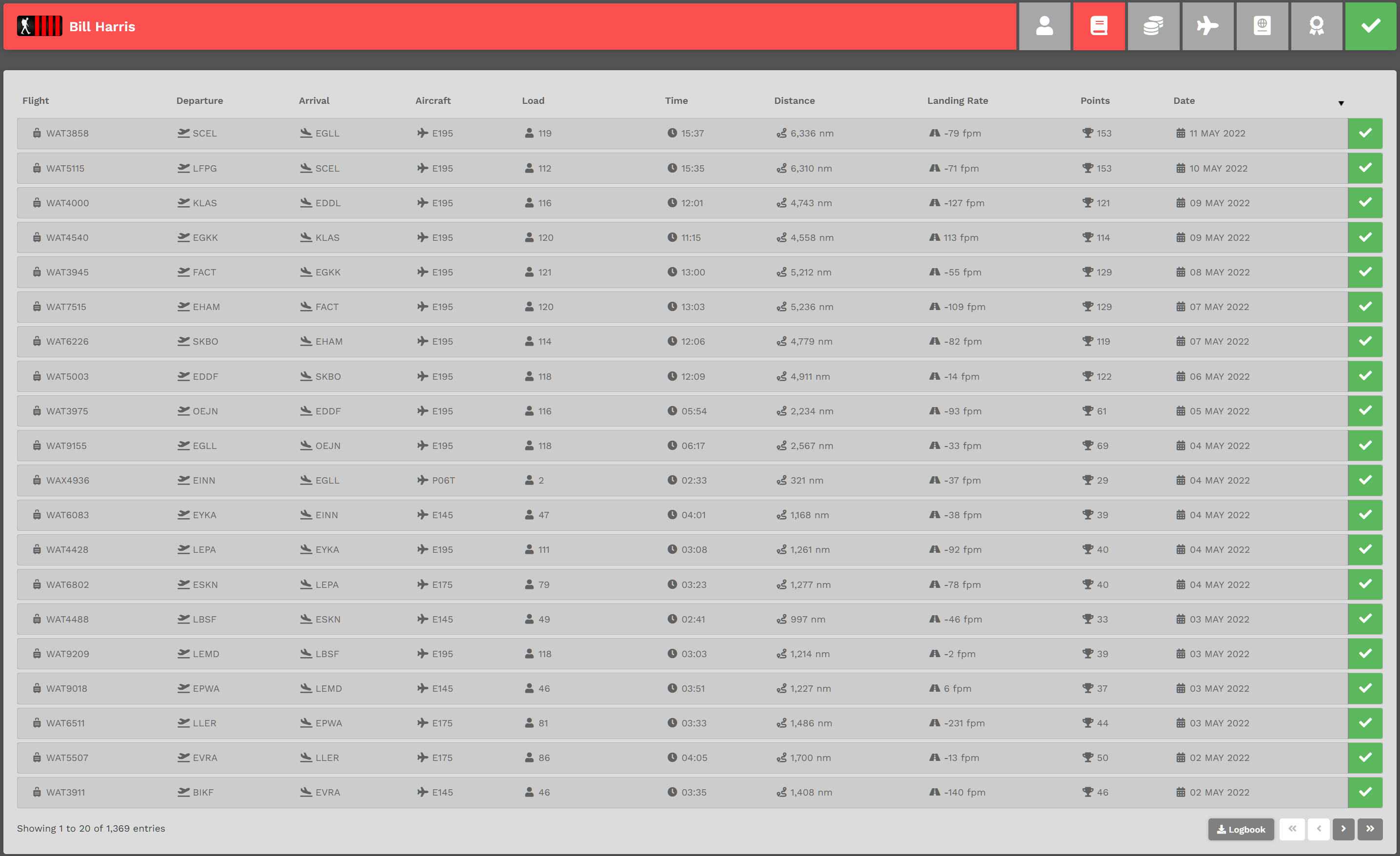
Each page will contain twenty (20) entries, with each entry representing a flight you've flown. In the example above, you can see there are a total of 1,369 entries. Click the chevron buttons in the lower right-hand corner as many times as necessary to view them.
To view the details of a specific flight, click its Flight Number in the Flight column – or – click the colored box [green, red or yellow]. After doing so, its Pilot Report will appear. You can then review the details of that flight.
Click the Logbook button to download a .csv file – something you may find useful if you'd like to analyze your performance in any way you like.