
Flights – Jumpseat
Jumpseats can be purchased to move from one airport to another for Cargo and Scheduled flights – and for Charter flights when Worldwide Persistence is enabled.
After clicking Jumpseat, the screen below opens. Your current location airport is already in the Current Location screen.text box.
A summary of your Jumpseat activity appears to the right.
In the History section, you'll find details of all previous jumpseat purchases.
NOTE: It'll be empty if none have been purchased.
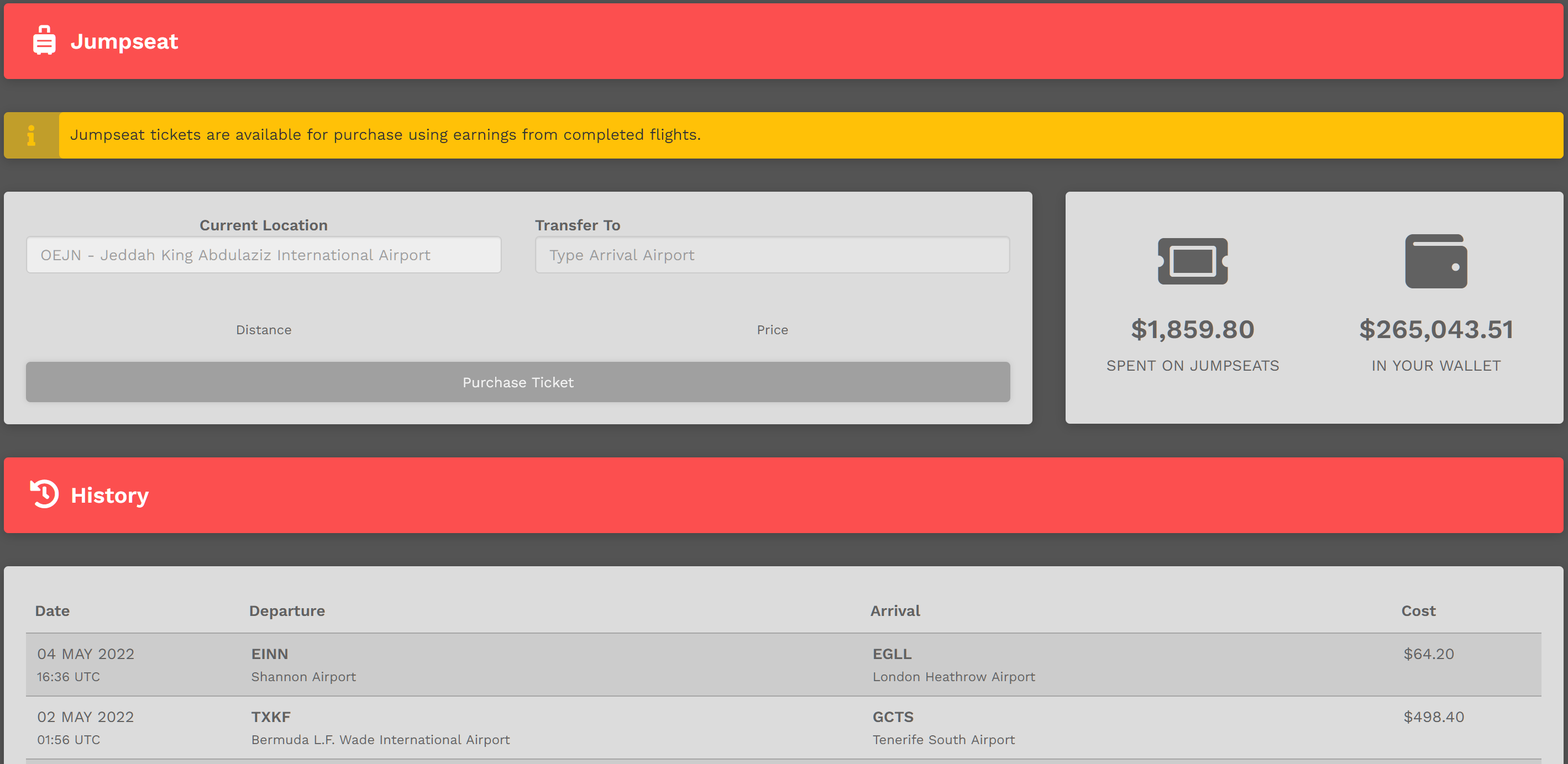
Enter the name or ICAS Code of the airport to which you'd like to move in the Transfer To Text Box.
After doing so, the Distance between the airports will be noted along with the Price of the ticket.
In the example below, this Pilot wishes to jumpseat from OEJN > EDDL. It will cost $466.80 for them to do so. With $265,043.51 in their wallet, the ticket can easily be purchased. If, however, the balance in a Pilot's Wallet is less than the price of the Jumpseat, it can't be purchased.

When jumpseating, keep this in mind regarding Worldwide Persistence:
| With Worldwide Persistence... | ... the Destination Airport Search Box... |
| On | Enabled | will show every airport in our database. |
| Off | Disabled | will only show airports for which a Cargo or Scheduled flight exists. |