# Flights – Airports

---

This is the **Airports** page. There are multiple areas within this page you may find helpful when planning flights.

[![image-1639241728314.png](https://docs.walkerair.us/uploads/images/gallery/2021-12/scaled-1680-/image-1639241728314.png)](https://docs.walkerair.us/uploads/images/gallery/2021-12/image-1639241728314.png)

Let's take a closer look at each of this page's areas...

This is the **Airport Search** Area. Enter an airport’s name or **[ICAO Code](https://www.world-airport-codes.com/)** in the *Text Box* and view detailed information about its activity.

[![image-1637934206417.png](https://docs.walkerair.us/uploads/images/gallery/2021-11/scaled-1680-/image-1637934206417.png)](https://docs.walkerair.us/uploads/images/gallery/2021-11/image-1637934206417.png)

**EXAMPLE:** *KDSM | Des Moines International Airport*

Type *KDSM* in the *Text Box*.

[![image-1639241868600.png](https://docs.walkerair.us/uploads/images/gallery/2021-12/scaled-1680-/image-1639241868600.png)](https://docs.walkerair.us/uploads/images/gallery/2021-12/image-1639241868600.png)

Click the **Go** button. A page will then open containing multiple areas.

---

This is the **Page Identification Bar**. Here, it shows the name of the airport who's information is displayed.

<p class="callout success">*To return to the **Airports** page at any time, click the arrow icon in the grey box at the right end of the Bar.*</p>

[![image-1639242404298.png](https://docs.walkerair.us/uploads/images/gallery/2021-12/scaled-1680-/image-1639242404298.png)](https://docs.walkerair.us/uploads/images/gallery/2021-12/image-1639242404298.png)

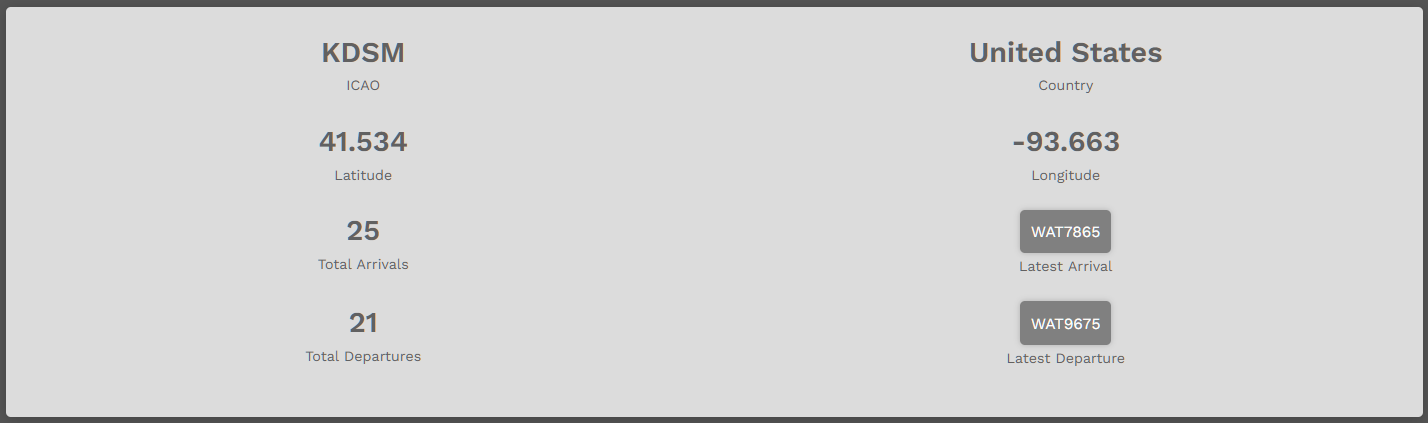
This is the **Airport Details** area.

[![image-1639242448059.png](https://docs.walkerair.us/uploads/images/gallery/2021-12/scaled-1680-/image-1639242448059.png)](https://docs.walkerair.us/uploads/images/gallery/2021-12/image-1639242448059.png)
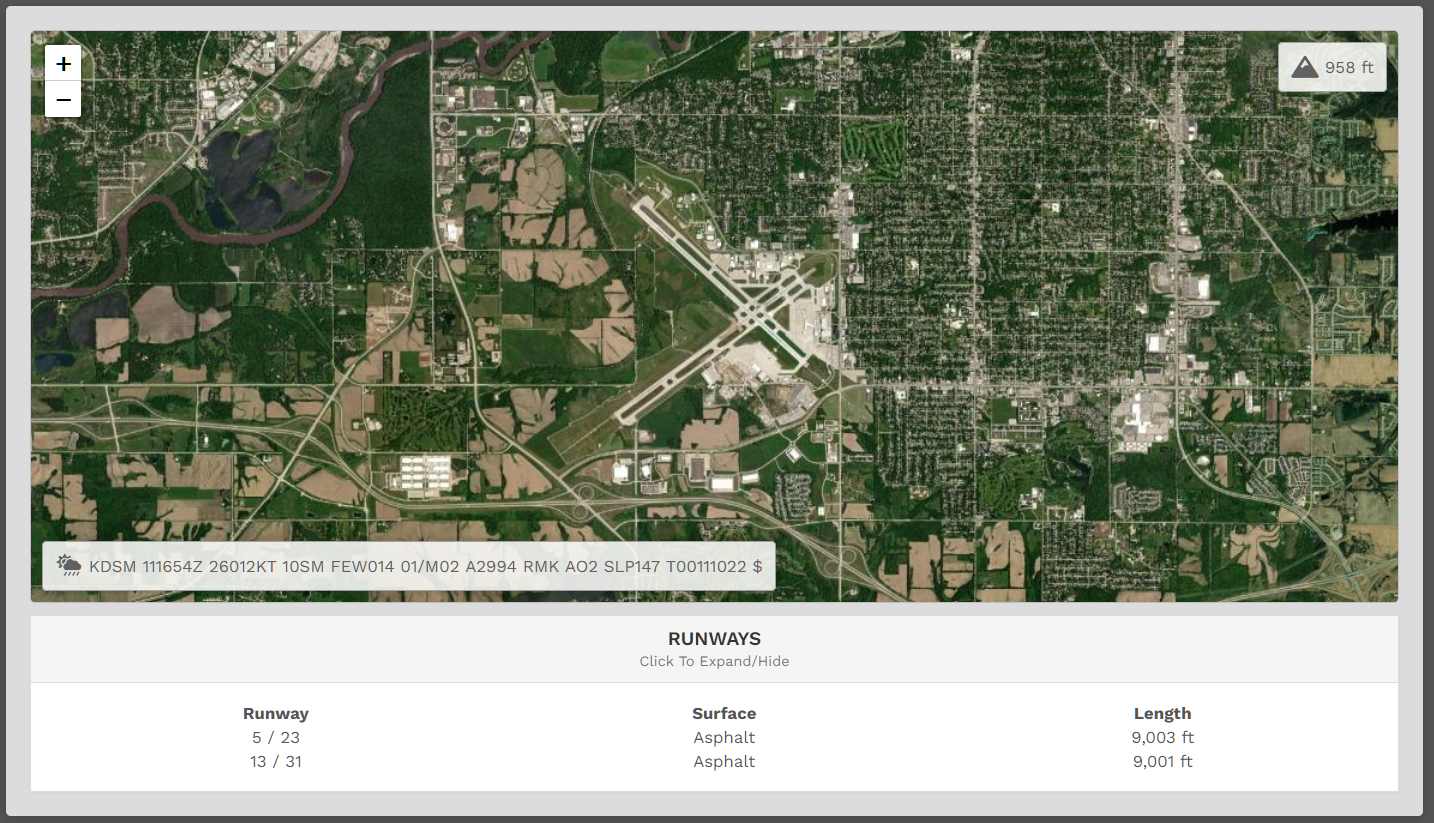
This is the **Map View**. The **Runways** | **Click To Expand**/**Hide** area is also illustrated. In addition to an overhead view, the airport's field elevation and current [**METAR**](https://metar-taf.com/) are shown.

[![image-1639242505535.png](https://docs.walkerair.us/uploads/images/gallery/2021-12/scaled-1680-/image-1639242505535.png)](https://docs.walkerair.us/uploads/images/gallery/2021-12/image-1639242505535.png)
This is the **Top Pilot** area. The name of the *Company Pilot* with the greatest number of *Departures* and *Arrivals* at this airport will be noted here. In our example, the Pilot for each just happens to be the same. That will **not** always be the case.

[![image-1639242553303.png](https://docs.walkerair.us/uploads/images/gallery/2021-12/scaled-1680-/image-1639242553303.png)](https://docs.walkerair.us/uploads/images/gallery/2021-12/image-1639242553303.png)

<p class="callout info">*To view a Top Pilot's **Profile**/**Logbook**, click on their name.*</p>

---

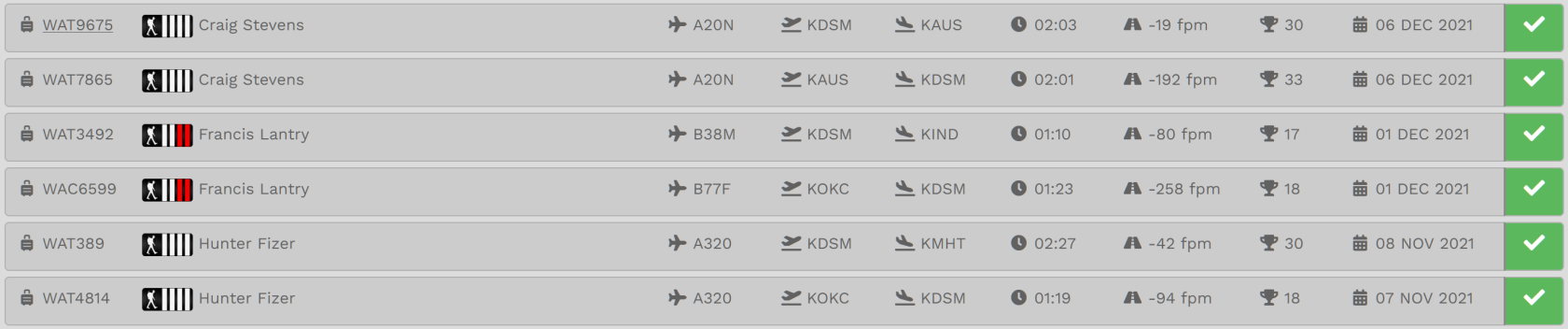
This is the **Last 25 Flights** area.

<p class="callout info">*To see more detail about any of these flights and/or the Pilots flying them, click the **Flight Number**, **Pilot Name** or **Colored Box** at the end of a row.*</p>

[![image-1639242770704.png](https://docs.walkerair.us/uploads/images/gallery/2021-12/scaled-1680-/image-1639242770704.png)](https://docs.walkerair.us/uploads/images/gallery/2021-12/image-1639242770704.png)

[![image-1639242812569.png](https://docs.walkerair.us/uploads/images/gallery/2021-12/scaled-1680-/image-1639242812569.png)](https://docs.walkerair.us/uploads/images/gallery/2021-12/image-1639242812569.png)