FlightTrackerXP, Stratos, and smartCARS 3 provides the ability for us to see what aircraft and ICAO you used in the simulator and cross reference it with our liveries and bids
**How do I know this is wrong?** Open the PIREP report up. Click on the [](https://docs.walkerair.us/uploads/images/gallery/2025-10/image-1760462219890.png) to open the Information panel. Look at the Aircraft; this is the *aircraft* that was on your **bid**, it is not the plane you flew in the simulator. [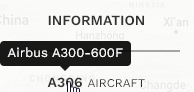](https://docs.walkerair.us/uploads/images/gallery/2025-10/image-1760462274719.png) Click on the [](https://docs.walkerair.us/uploads/images/gallery/2025-10/image-1760462294732.png) to open your ACARS log. Look at the 1st few lines and you will see the log entries from your ACARS. *This is the information that your simulator sends to the ACARS application. If this is not correct, then you need to contact TFDi and raise a ticket. We have no control over what your computer sends to the application.* [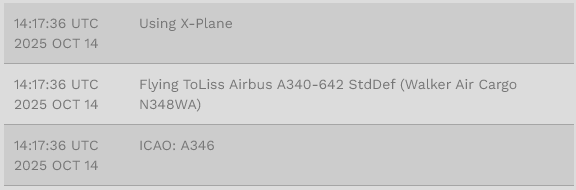](https://docs.walkerair.us/uploads/images/gallery/2025-10/image-1760462381468.png) If these 2 things do not match, your flight will get rejected. Your aircraft must match the one you bid on.