Aircraft Substitutions
Our flight modules are built in a way substituting aircraft isn’t necessary. Therefore, substitutions are not accepted.
If a PIREP log documents a different aircraft than what was bidded, it will be Rejected.
No exceptions.
FlightTrackerXP, Stratos, and smartCARS 3 provides the ability for us to see what aircraft and ICAO you used in the simulator and cross reference it with our liveries and bids
How do I know this is wrong?
Open the PIREP report up.
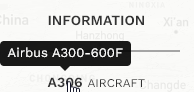
Click on the  to open the Information panel.
Look at the Aircraft; this is the aircraft that was on your bid, it is not the plane you flew in the simulator.
Click on the  to open your ACARS log.
Look at the 1st few lines and you will see the log entries from your ACARS. This is the information that your simulator sends to the ACARS application. If this is not correct, then you need to contact TFDi and raise a ticket. We have no control over what your computer sends to the application.
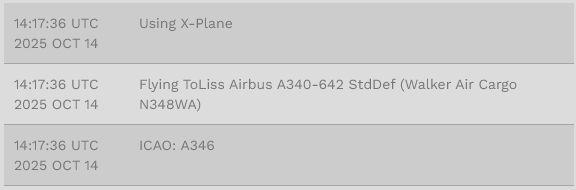
If these 2 things do not match, your flight will get rejected. Your aircraft must match the one you bid on.